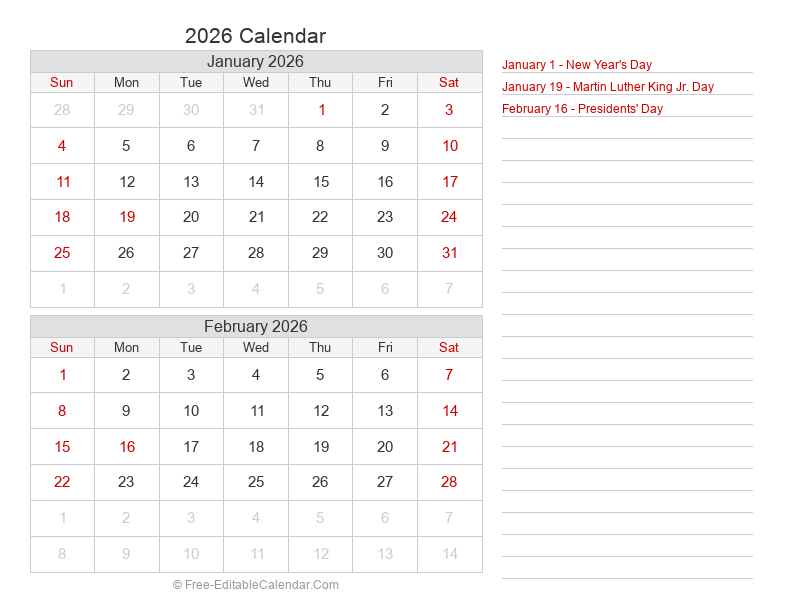
Complete Guide to Custom Calendar Creation
Our free custom calendar maker gives you complete control over every aspect of your printable calendar. Whether you need a simple monthly calendar for home use, a professional calendar for your office, or a branded calendar for your business, our tool has all the features you need.
Why Create a Custom Calendar?
Custom calendars offer several advantages over standard pre-made templates. You can match your calendar to your brand colors, choose exactly which holidays to display, select the perfect paper size for your needs, and create a unique design that stands out. Custom calendars make excellent gifts, marketing materials, or personal organization tools.
Getting Started
Creating your custom calendar is simple. Start by selecting your desired year and month from the Date & Type section. Choose your calendar type - monthly for detailed daily planning, 2-month or 4-month for medium-range planning, or yearly for a complete annual overview. The preview updates in real-time as you make changes, so you can see exactly how your calendar will look.
Customizing Colors
The Colors section lets you personalize every color element of your calendar. Set the header background and text colors to match your brand or personal preference. Choose distinct colors for weekdays and weekends to make your calendar easier to read. Use the color picker or enter exact hex codes for precise color matching.
Paper and Layout Options
Select from four paper sizes: Letter (8.5" × 11") for standard US printing, A4 for international use, Legal (8.5" × 14") for extra space, or Tabloid (11" × 17") for large wall calendars. Choose between landscape and portrait orientations depending on your display preference and calendar type.
Adding Holidays
Include holidays from USA (Federal holidays), UK (Bank holidays), Canada, or Australia. For monthly calendars, you can choose to display or hide holiday names directly on the calendar. This is especially useful for planning around public holidays and scheduling time off.
Border and Shading Styles
Customize the visual structure of your calendar with border options. Choose all borders for a traditional grid look, outside-inside for a cleaner appearance, outside-only for a minimal design, or no borders for a modern, open layout. Add shading to weekends, alternate weeks, or adjacent days to improve visual organization.
Extra Features
Enable week numbers for business planning and ISO week tracking. Add a notes section for to-do lists or important reminders. Show or hide days from adjacent months to maintain a clean, focused calendar view. These options let you create exactly the calendar you need.
Exporting Your Calendar
Download your finished calendar in your preferred format. PDF is best for printing and preserving exact formatting. Word format allows you to add custom text, events, and additional content. Excel format is perfect for adding data, formulas, or integrating with other spreadsheets. PNG format creates a high-resolution image for digital use, presentations, or social media sharing.
Printing Tips
For best print quality, select "Actual Size" or "100%" in your printer settings to ensure proper scaling. Use good quality paper - standard 20lb paper works well for everyday use, while cardstock (65lb or higher) is better for wall calendars that need durability. For professional results, consider taking your PDF to a print shop for high-quality printing.
Sharing Your Design
Use the Share feature to save your calendar design settings in a shareable link. This is perfect for sharing your design with colleagues, friends, or family members who want to print the same calendar. You can share directly to social media or copy the link for email and messaging apps.