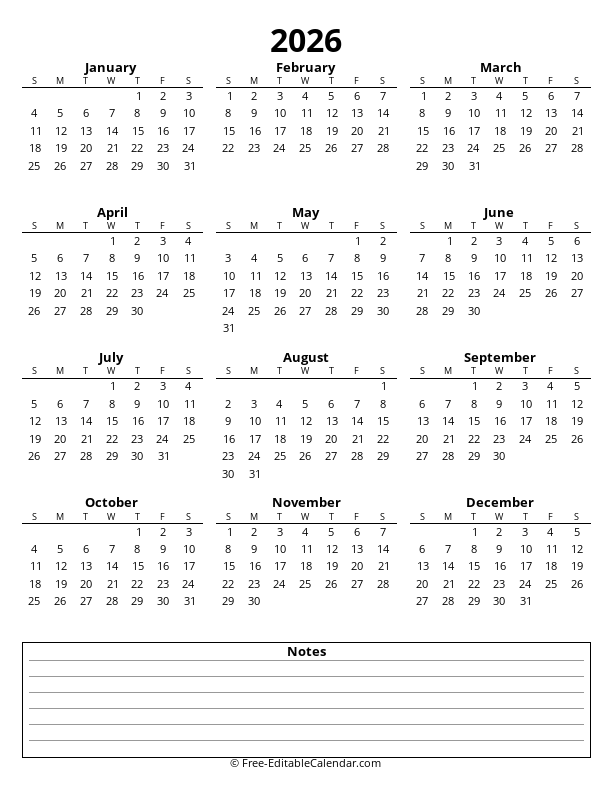
Generate up to 12 pages with one month per page - each with a side panel for notes and to-do lists
Loading preview...
Calendar Options
Landscape Orientation Only
Optimized for side-by-side calendar and notes layout
This free 2034 monthly calendar with side notes creates printable calendars with one month per page, each featuring a side panel with notes and to-do sections. The landscape orientation provides optimal space for both the calendar grid and writing area.
Calendar Features
- One month per page layout
- Side panel with lined notes section
- Built-in to-do checklist
- Choose notes position (left or right)
- Generate 1 to 12 pages at once
- Landscape orientation for optimal layout
- Week starts on Sunday or Monday
- Free to download and print
Download Formats
- PDF - Best for printing (multi-page)
- PNG - High resolution image
- Excel - Editable spreadsheet
- Word - Editable document
Tips
- Right-handers: notes on right side
- Left-handers: notes on left side
- Legal/A3 paper gives more writing space
- PDF format preserves page breaks
About 2034 Printable Monthly Calendar with Side Notes
Our free 2034 monthly calendar with side notes creates professional-quality printable calendars with one month displayed per page, each featuring a dedicated notes panel on the side. The landscape orientation ensures optimal space for both the calendar grid and the notes section, making it ideal for planning and organization.
One Month Per Page with Side Panel
Each page of your calendar features:
- Full monthly calendar grid: Large date boxes with room for daily entries
- Lined notes section: Multiple lines for writing reminders and information
- To-do checklist: Checkbox items for tracking tasks and goals
- Flexible positioning: Place notes on left or right side
Why Side Notes Layout?
The side-by-side layout offers several advantages:
- At-a-glance viewing: See calendar and notes simultaneously without scrolling
- Natural eye flow: Read from calendar to notes (or vice versa) easily
- Balanced design: Equal importance given to dates and notes
- Handedness options: Position notes based on your writing hand
- Landscape format: Wider layout maximizes both areas
Choosing Notes Position
We offer both left and right positioning for the notes panel:
- Notes on Right: Best for right-handed users - view calendar first, then write notes without obstruction
- Notes on Left: Ideal for left-handed users - write notes easily without hand covering the calendar
- Binder use: Choose based on which side your binder rings are on
How to Use
- Select Start Month: Choose which month to begin with
- Set Number of Pages: Choose 1-12 pages (one month + side notes per page)
- Choose Notes Position: Left or right side
- Choose Week Start: Sunday or Monday
- Pick Paper Size: Letter, A4, Legal, or A3 (all landscape)
- Download or Print: Get your calendar in your preferred format
Printing Tips
For best results, download the PDF format which preserves proper page breaks between months. When printing, ensure your printer is set to landscape orientation. Consider using Legal or A3 paper for maximum calendar and notes space. The PDF will automatically handle multi-page output correctly.
Frequently Asked Questions
What is a calendar with side notes?
+
A calendar with side notes features one month per page in landscape orientation, with the calendar grid on one side and a notes panel on the other. The notes panel includes lined sections for writing and a to-do checklist. You can choose whether the notes appear on the left or right side.
Why is this calendar only available in landscape orientation?
+
Landscape orientation is specifically chosen because it provides the optimal layout for side-by-side content. This format ensures both the calendar grid and notes panel have adequate space, resulting in larger day cells and more writing room. Portrait orientation would require significantly smaller elements.
How many pages can I generate at once?
+
You can generate anywhere from 1 to 12 consecutive pages. Each page contains one month with its side notes panel, so if you select 12 pages, you'll get a 12-page document - one month with notes per page.
What's the difference between side notes and bottom notes?
+
Side notes: Calendar grid on one side, notes column on the other. Landscape only. Best for simultaneous viewing of calendar and notes. Bottom notes: Calendar grid at top, notes section at bottom. Works in both orientations. Best when calendar is primary focus. Both have one month per page.
Which notes position should I choose?
+
Right side notes: Best for right-handed people - you can view the calendar first and write notes without your hand blocking the calendar. Left side notes: Ideal for left-handed people - write notes comfortably without your hand covering the calendar grid. Also consider your binder setup if using hole-punched pages.
What formats can I download?
+
PDF: Best for printing with proper page breaks. PNG Image: High resolution for digital use. Excel (.xlsx): Editable spreadsheet where you can type notes. Word (.docx): Editable document for customization.
Is this calendar free?
+
Yes! All calendars on free-editablecalendar.com are 100% free. No registration, no watermarks, and no limitations. Use them for personal, educational, or business purposes.