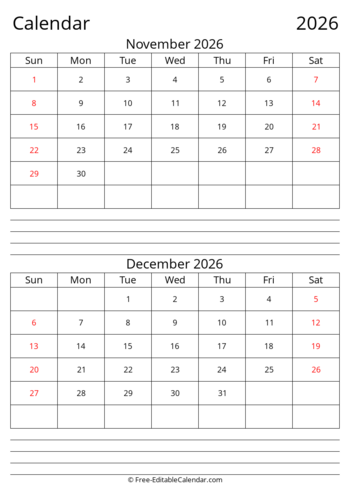
Generate up to 6 pages with 2 months displayed side by side per page - perfect for bi-monthly planning and comparison
This free 2034 two month calendar displays 2 months per page in a side-by-side layout. Perfect for bi-monthly planning, comparing months, and tracking activities that span month boundaries.
Calendar Features
- 2 months displayed per page
- Side-by-side (landscape) or stacked (portrait)
- Generate 1 to 6 pages at once
- Larger month grids than multi-month views
- Week starts on Sunday or Monday
- Free to download and print
Download Formats
- PDF - Best for printing (multi-page)
- PNG - High resolution image
- Excel - Editable spreadsheet
- Word - Editable document
Orientation Tips
- Landscape: Months side by side - best for desk use
- Portrait: Months stacked vertically - good for walls
About 2034 Printable Two Month Calendar
Our free 2034 two month calendar displays 2 months per page in a clean, printable format. This bi-monthly layout is perfect for comparing consecutive months, tracking activities that span month boundaries, and getting a focused view of your immediate schedule.
Two Months Per Page Layout
Each page of your calendar shows two consecutive months arranged for optimal viewing:
- Landscape orientation: Months displayed side by side horizontally - ideal for desk calendars and comparison
- Portrait orientation: Months stacked vertically - works well for wall displays and binders
- Larger grids: With only 2 months per page, each day cell has more space than multi-month views
Why Choose a Two Month Calendar?
A two month calendar offers the perfect balance between detail and overview:
- Month comparison: Easily compare two months to track progress and patterns
- Transition planning: See month-end and month-start together for seamless planning
- Bi-monthly cycles: Perfect for bi-monthly reports, reviews, and planning periods
- More space: Larger day cells than quarterly or yearly calendars
- Less clutter: More focused than full year views
How to Use
- Select Start Month: Choose which month to begin with
- Set Number of Pages: Choose 1-6 pages (2 months per page)
- Choose Week Start: Sunday or Monday
- Pick Paper Size: Letter, A4, Legal, or A3
- Select Orientation: Landscape (side by side) or Portrait (stacked)
- Download or Print: Get your calendar in your preferred format
Printing Tips
For best results with your two month calendar, download the PDF format which handles multi-page output correctly. When printing, ensure your printer orientation matches your selection (landscape or portrait). Legal and A3 paper sizes provide the largest day cells for easier writing.
Frequently Asked Questions
What is a two month calendar?
+
A two month calendar displays two consecutive months on a single page. In landscape orientation, the months appear side by side; in portrait, they stack vertically. This format is ideal for bi-monthly planning, comparing months, and tracking activities that span month boundaries.
How many pages can I generate at once?
+
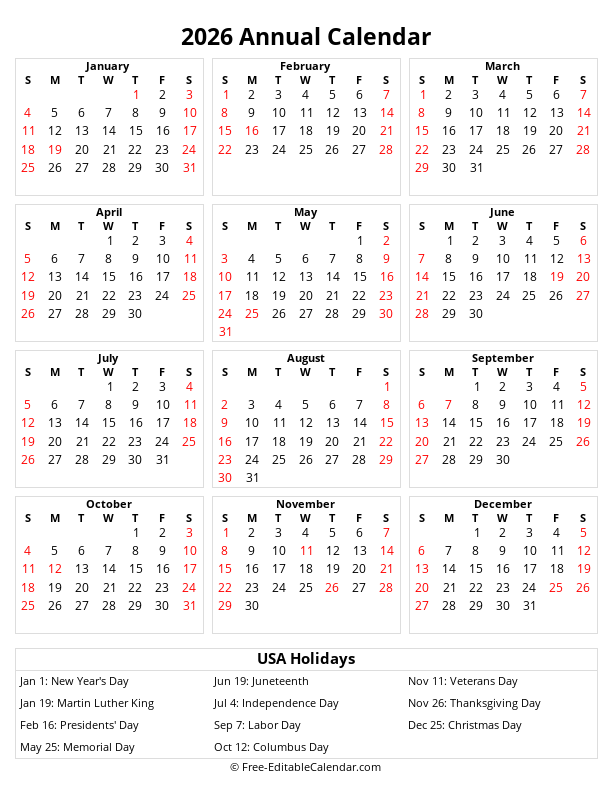
You can generate 1 to 6 pages. Each page contains 2 months, so: 1 page = 2 months, 2 pages = 4 months, 3 pages = 6 months (half year), 6 pages = 12 months (full year). Select 6 pages starting from January to get a complete 2034 calendar.
What's the difference between landscape and portrait?
+
Landscape orientation places the two months side by side horizontally - great for desk calendars and direct month comparison. Portrait orientation stacks the months vertically - ideal for wall calendars, binders, and when you have more vertical space.
Why choose two months per page instead of more?
+
Two months per page provides an ideal balance: enough overview for planning across month boundaries, yet large enough day cells for readability and writing notes. It's less overwhelming than quarterly or yearly views while still showing upcoming time periods.
What formats can I download?
+
PDF: Best for printing with proper multi-page support. PNG Image: High resolution for digital use. Excel (.xlsx): Editable spreadsheet format. Word (.docx): Editable document format.
Is this calendar free?
+
Yes! All calendars on free-editablecalendar.com are 100% free. No registration, no watermarks, no limitations. Use them for personal, educational, or business purposes.